Card Services
Having an issue with your myconnect card?
Balance, statements and PIN changes
When there is less than R30 on your card, a yellow light will shine around the validator screen and you will hear two beeps after you tap your card. This means that the transaction was successful, but that you need to top up urgently.
You can check your balance, get a statement of recent transactions at MyCiTi station kiosks.
If you have a bank-issued myconnect card. You need the card PIN number to access these services, including the option to reset the PIN. You can change the myconnect PIN at an Absa branch. If you've fogotten your PIN you can reset it at any Absa branch on presentation of your myconnect card, ID and proof of address.
Steps to check balance, obtain mini-statement or reset PIN at any Absa ATM:
- Insert myconnect card
- Select language
- Enter PIN
- Select option from: Balance/ Mini Statement/ Update/ Cancel/ Change PIN
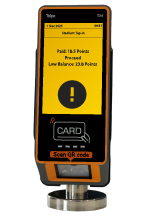
A yellow validator screen indicates that your card balance is low and that you need to top up soon to keep travelling.
Report a lost or stolen card
To report a lost or stolen myconnect card, call the Transport Information Centre at 0800 65 64 63, email transport.info@capetown.gov.za, or visit any MyCiTi station kiosk to report it and apply for a replacement card. You can hotlist the card and request that any remaining funds be transferred to a new one.
When you report the card, you can immediately apply for a replacement. You will need to provide passenger and card details. The cost of a replacement card is R30.
You can apply to have the value from your lost or stolen card transferred to your new card.
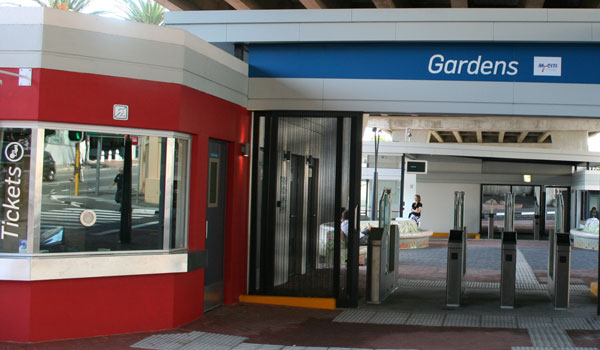

Replace an expiring card
The older bank-issued myconnect card have an expiry date. You can replace your expiring card up to 3 months before it expires and transfer the value from your expiring card to your new card. If your card has already expired, you can still replace your card and have the value transferred.
Replace a faulty card
If your myconnect does not work, you can apply to have your card replaced. If the issue is due to a system fault, your replacement card will be issued at no cost. If the card has been physically damaged, the cost will be as per the tariff for a new card. The value from your faulty card will be transferred to your new card immediately. If the card cannot be read, please allow up to 10 days for Mover to be transferred to your new card.
To replace your faulty card, please complete the form below and submit it at any station kiosk or by email to transport.info@capetown.gov.za
Refunds
Apply for refunds
If you think you have been charged incorrectly for your travel, you can complete the form below and we’ll investigate. You will need to submit a mini-statement along with your application, which can be obtained from any station kiosk.
Redeem refunds
Once your refund application is approved, you can visit any station info terminal to redeem your refund in just a few steps.
- Tap your myconnect card at a station info terminal. A pop-up message will appear: “Top up available. Please tap again to apply.”
- Tap your card again at the info terminal to apply the refund. A success message will appear at the bottom of the screen: “Top up has been applied.”
- Your refund is now loaded onto your card and ready for use.
Please note that if your refund was approved before 28 March 2026 you may still be required to redeem your refund from zone 2 Civic Centre station.
Passengers who still have approved refunds they have not yet redeemed can follow the steps above to redeem their refunds at any station info terminal from Saturday 28 March 2026.